DCPAnalyser DCP analysis and reporting software for Windows.
DCPAnalyser is the office-side DCP workflow. It calculates DCP results and produces pavement investigation reports from structured field data.
It is for pavement engineers, testing contractors, consultants, and office staff who need a more
repeatable way to check DCP data and prepare client-ready outputs.
Best fit when the DCP record exists but the calculation, checking, and reporting stage is still too manual.
What problem DCPAnalyser solves
It gives the office a clearer route from structured DCP data to checked report output.
Why teams use it
Many DCP teams can carry out the test competently but still lose time in the office through repeated spreadsheet handling, reformatting, and rebuilding the report each time.
DCPAnalyser is intended to make that part of the workflow more repeatable.
Where it fits
DCPAnalyser is the reporting stage, not the field capture stage. When used with DCP Data, the office can work from the same structured record created on site.
Who it is for
DCPAnalyser is aimed at the office-side reporting part of the DCP workflow.
Pavement engineers
Review DCP data, interpret results, and prepare clearer report outputs.
Testing contractors
Produce more consistent DCP reporting for client delivery.
Consultants
Reduce repeated office handling when DCP data needs to be checked and issued.
Office reporting staff
Work from structured field data instead of rebuilding the job from site notes.
Main workflow steps
DCPAnalyser follows the normal sequence from received field data to final report issue.
1
Receive the field record
Start from a structured DCP record rather than handwritten notes or a manually rebuilt spreadsheet.
2
Calculate and check the results
Use the desktop tool for DCP calculation, review, and output preparation.
3
Issue the report
Produce a clearer client-facing output once the DCP results have been reviewed.
Key features
These are the main reporting outputs already visible on the public site.
Report output
Detailed DCP reporting
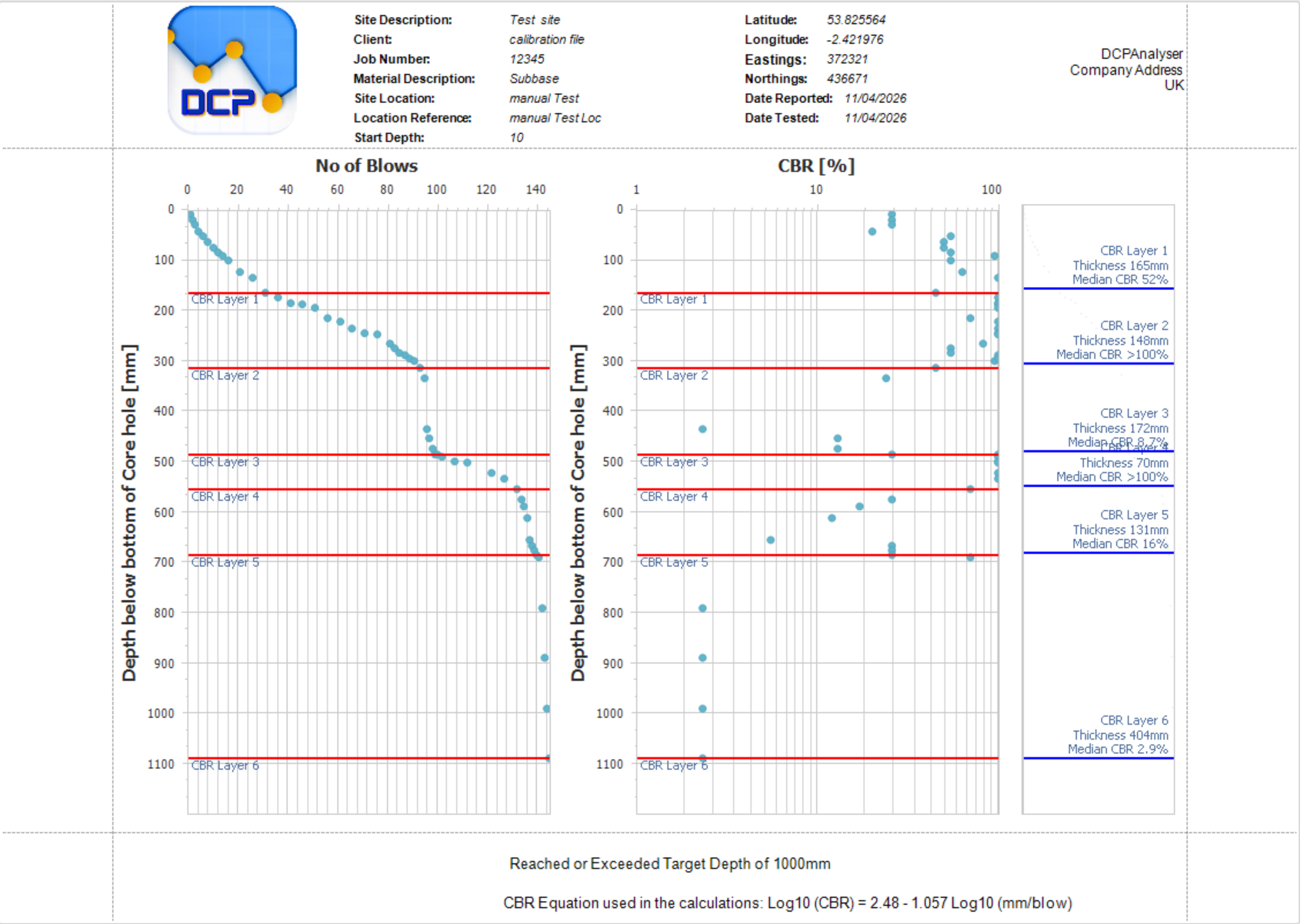
Prepare a fuller DCP report that combines plots, interpreted layer breaks, and summary information from the same record.
CBR output
CBR reporting from DCP data
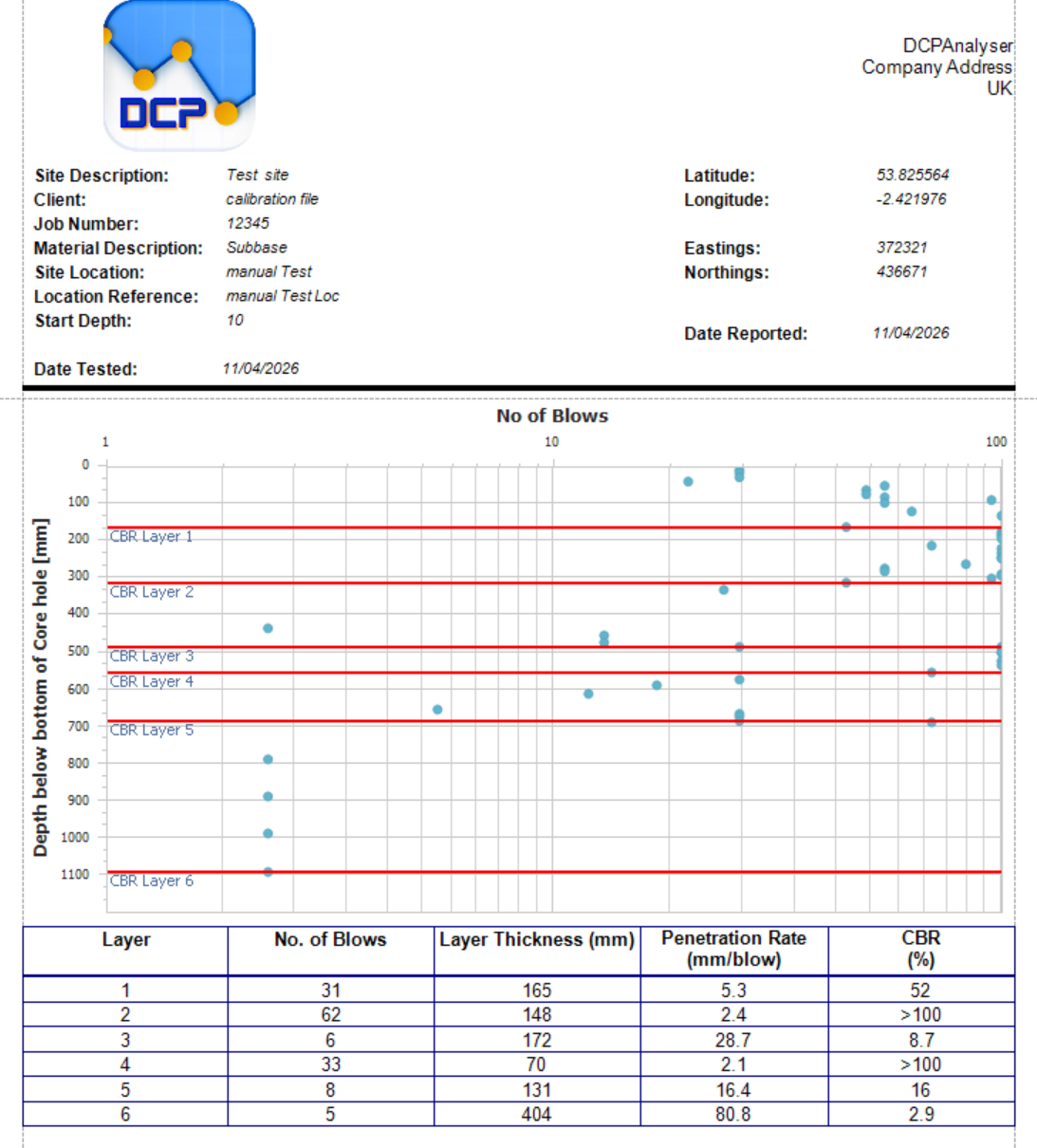
Produce an output focused on CBR by depth where that is the clearest reporting format for the job.
Checking route
Blow-by-depth review output
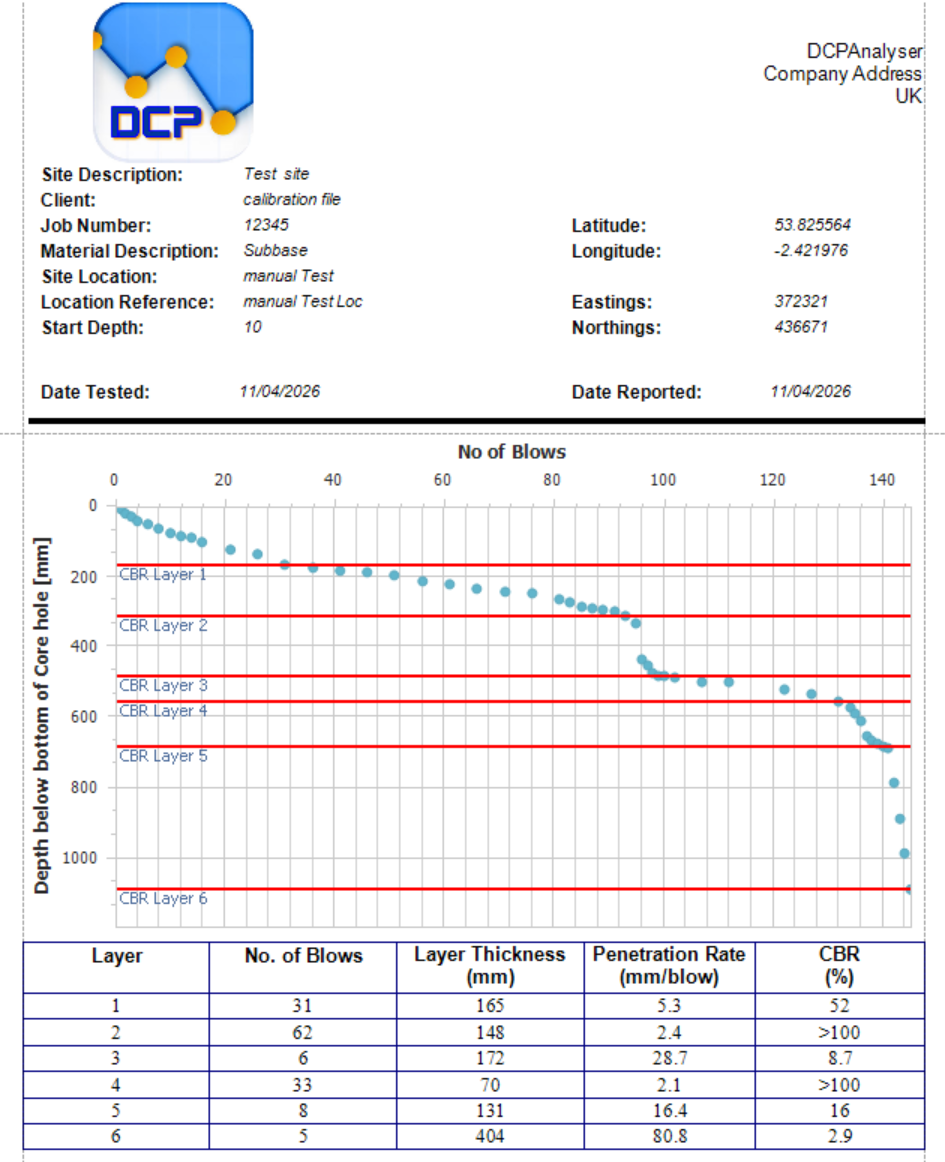
Review and present the blow profile in a dedicated output rather than rebuilding it manually in office documents.
Proof from DCPAnalyser itself
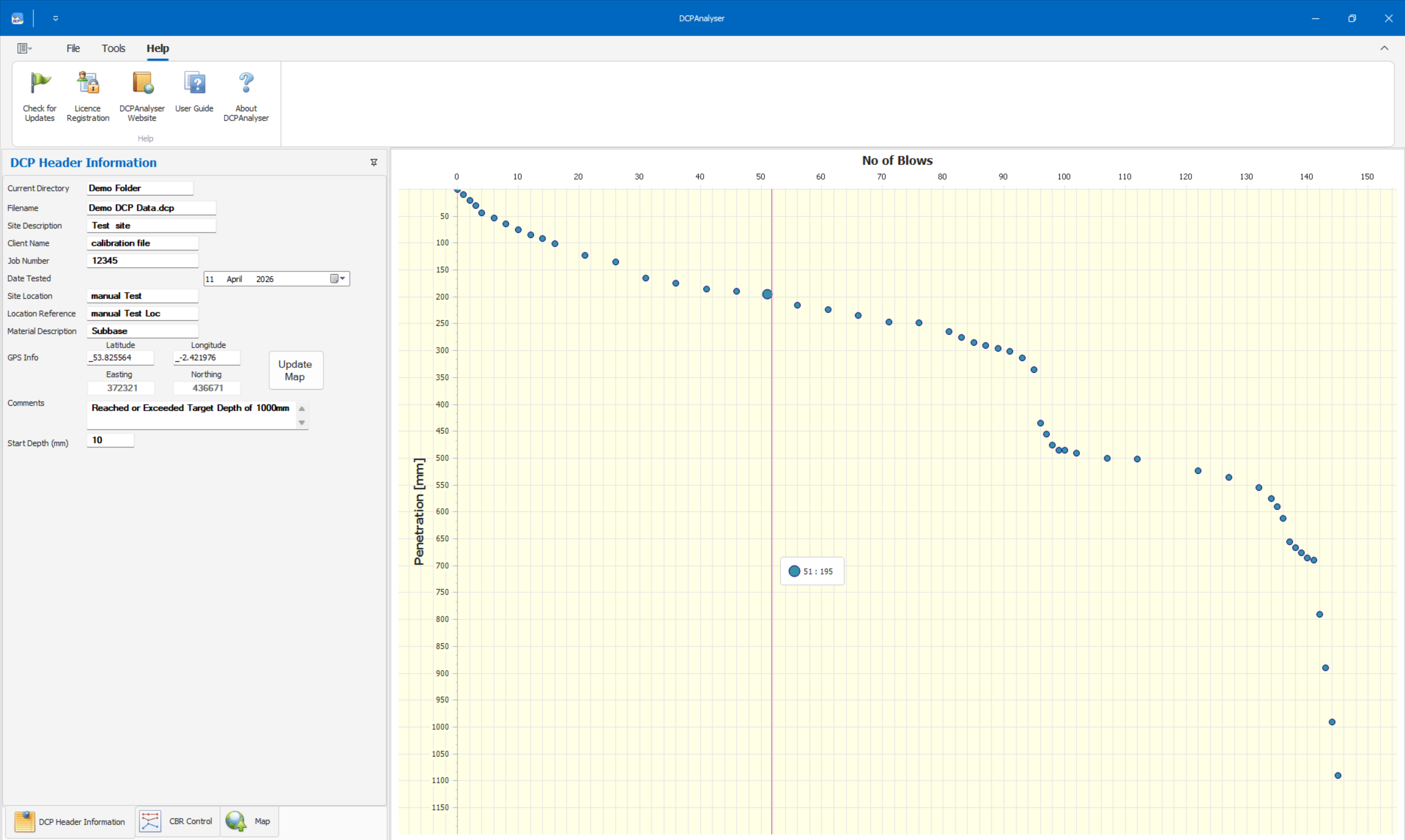
These screenshots show the live Windows application and three report outputs generated from the same DCP record.
The live DCPAnalyser desktop view, with site details and the plotted DCP trace ready for checking and reporting.Detailed report output combining the blow plot, CBR plot, interpreted layer breaks, and a layer summary.CBR report focused on interpreted CBR values by depth with the related layer summary.Blow report showing the measured blow profile by depth together with the interpreted layer summary.
These answers match the visible page content and the structured data on this page.
What is DCPAnalyser used for?
DCPAnalyser is used for calculating DCP results and producing client-ready pavement investigation reports from structured field data.
Can DCP results be reported without retyping site notes?
Yes, that is one of the main workflow benefits when the field record already exists in a structured format such as a DCP Data file.
Is DCPAnalyser an alternative to using spreadsheets for DCP reporting?
It can be a practical alternative when teams want a more consistent route for DCP calculation, checking, and reporting than a spreadsheet-based process.