CoreDATA and RCoreAnalyser road core logging and reporting software.
CoreDATA handles road core logging on Android and RCoreAnalyser continues the reporting step on Windows.
This workflow is for pavement engineers, testing contractors, site technicians, and consultants who need
road core records, core photographs, and office-side reporting to stay tied to the same job.
Best fit when the road core workflow spans both field logging and office reporting.
What problem the core workflow solves
It reduces repeated handling between road core logging on site and road core reporting in the office.
Why teams use it
Road core work often creates duplicated administration. The site team records the core, photographs it, and notes the layers, then the office rebuilds the same record before reporting can start.
CoreDATA and RCoreAnalyser are intended to reduce that duplication.
Where it fits
This is a paired workflow rather than a single isolated tool. CoreDATA is the field step and RCoreAnalyser is the office step.
Who it is for
This workflow is aimed at teams carrying out pavement core sampling and later office reporting.
Testing contractors
Run road core jobs with a cleaner route from site logging to final report.
Site technicians
Enter locations, layers, descriptions, and photographs while the work is happening.
Pavement engineers
Work from a structured core record when preparing office outputs.
Consultants
Handle pavement core records with less duplicated admin between stages.
Main workflow steps
The core workflow is easiest to judge as a sequence from site logging into office reporting.
1
Log the core on site
Use CoreDATA to record location, depth, layers, descriptions, and supporting photographs while the road core work is being carried out.
2
Pass the record into the office
Transfer the structured road core record and related images instead of rebuilding the job from paper notes.
3
Prepare the report
Use RCoreAnalyser to produce office-side outputs and composite logs from the same record created on site.
Key features
These are the practical parts of the road core workflow already visible from the current product evidence.
Site record
Structured road core logs
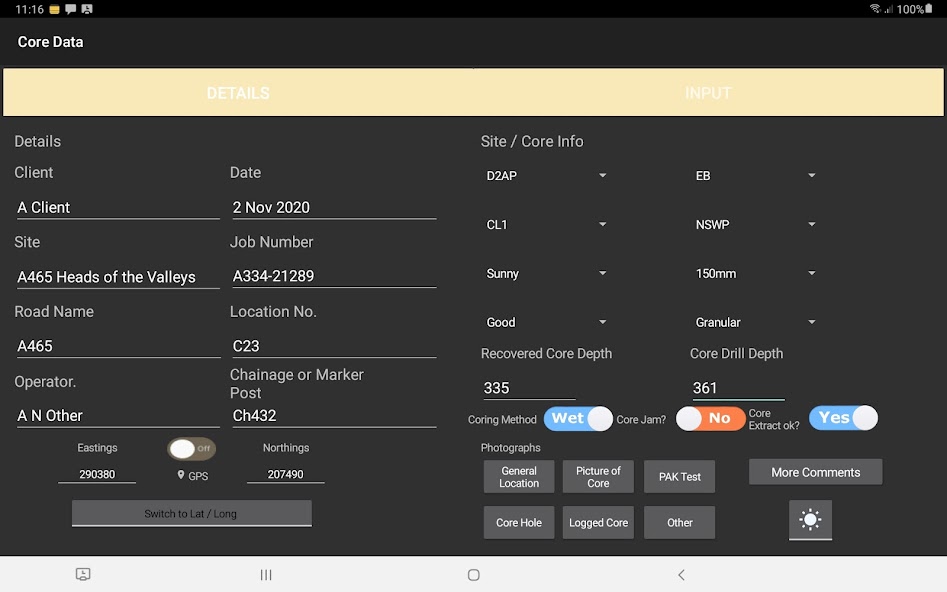
Store core locations, recovered core depths, hole depths, layer descriptions, and supporting job references in a format the office can continue from.
Supporting evidence
Photographs and descriptive detail
Keep core photographs and other supporting information attached to the same record rather than splitting them across separate notes.
Office output
Road core reports and composite logs
Use the structured field record as the basis for office reporting through RCoreAnalyser.
Proof from the live field app
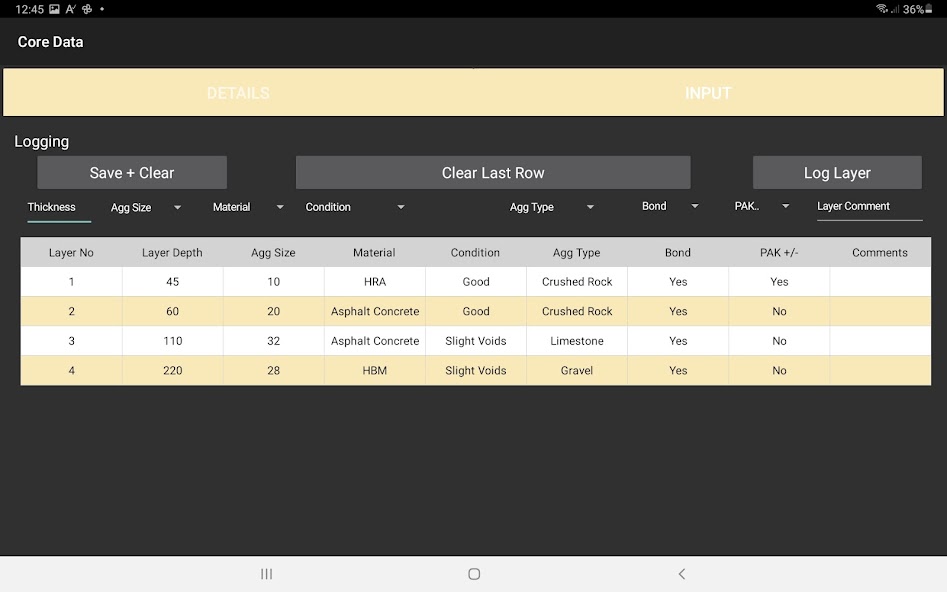
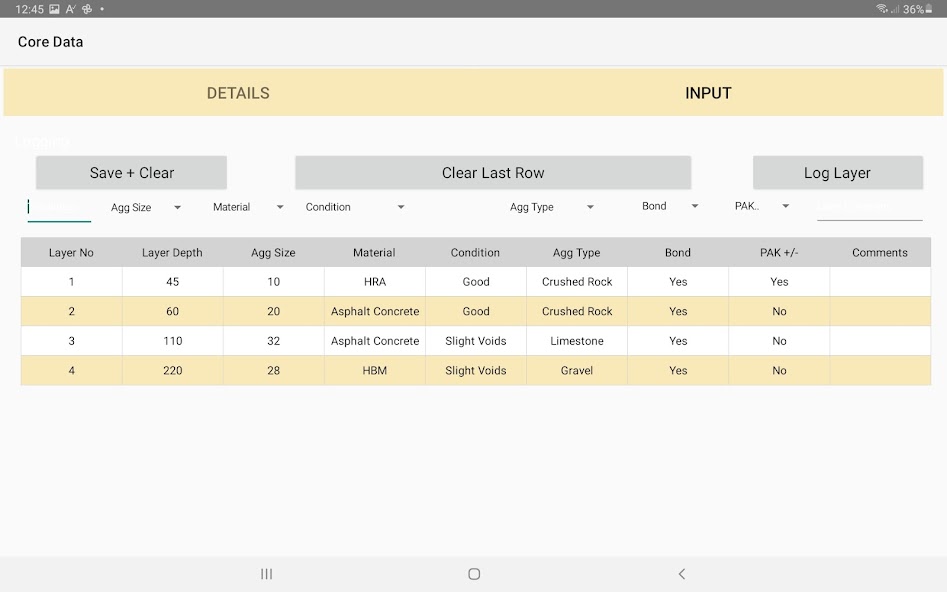
The screenshots below show how CoreDATA records site details, layers, and supporting evidence.
Main core details screen for site references, depths, drilling method, and job information.Layer logging view with structured rows for material makeup, bond, condition, and comments.Supporting evidence and graphical description tools used alongside the road core record.
These answers match the visible page content and the structured data on this page.
What information should be recorded during road core logging?
Road core logging should capture location, depth, layer description, material type, photographs, condition, and the references needed to tie the core back to the job.
Who should use CoreDATA and RCoreAnalyser?
They are for pavement engineers, testing contractors, site technicians, and consultants who need road core logging on site and office reporting from the same job record.
Is Experior software designed for pavement investigation work?
Yes. This workflow is designed around pavement investigation records rather than general construction administration.